| Ticket UUID: | 89354dae316b7a16abe96d2bce1877d646f6f44d | |||
| Title: | Aqua: neighboring foreground color gets applied to very edge of nearby text | |||
| Type: | Bug | Version: | 8.6.9.1 | |
| Submitter: | chrstphrchvz | Created on: | 2019-08-17 14:46:31 | |
| Subsystem: | 18. [text] | Assigned To: | marc_culler | |
| Priority: | 5 Medium | Severity: | Important | |
| Status: | Closed | Last Modified: | 2020-04-15 16:38:05 | |
| Resolution: | Fixed | Closed By: | nab | |
| Closed on: | 2020-04-15 16:38:05 | |||
| Description: |
Foreground colors of text might be applied to few pixels of neighboring text, and becomes noticeable when those foreground colors differ. The issue seems mostly noticeable when using colored subpixel antialiasing, which is no longer the default in macOS 10.14 Mojave, but can be re-enabled using One place to observe this issue in the widget demo under dark mode: the rightmost edge of the demo name will have faint non-blue edges. With Mojave default antialiasing:
With subpixel antialiasing:
Setting the .t configure -background black -foreground white .t tag configure demo -foreground black With Mojave default antialiasing:
With subpixel antialiasing:
.t configure -background white -foreground black
.t tag configure demo -foreground white
With Mojave default antialiasing:
With subpixel antialiasing:
This issue appears in 8.5.9 as well. I wonder if this bug is the same as or is related to [3607259], where that issue had just become difficult to notice (with the given test case) rather than truly fixed. Here is what its test case looks like after doing | |||
| User Comments: |
nab added on 2020-04-15 16:38:05:
https://vimeo.com/408044743
this is a part on what my app is doing (just to let you know I use -itemconfigure for canvas text items a lot...)

I've compiled latest merge to mac_styles branch and I didn't notice any improvements  in terms of CPU usage.
I'm using Helvetica font

so sad... :)
++
nab added on 2020-04-15 14:33:36: I will report as soon as I can. ++ marc_culler (claiming to be Marc Culler) added on 2020-04-15 14:26:57: Excellent point! The issue is much more extreme when the kerning is negative. This also reveals that it really is an intrinsic problem which need not be related to anti-aliasing at all. I will close this ticket and merge the fix, hoping to make a small dent in the growing backlog of Aqua tickets. @nab - you and @stevenaaus are probably the people best qualified to decide if there is a noticeable performance change. Let us know! chrstphrchvz added on 2020-04-15 14:24:33:
In terms of performances will canvas text benefit of those changes? Very likely. One of the slower TkTable examples that I tried for [685ac30727] (maxsize.tcl) appears to redraw about twice as fast/often with [39c3f57220]. nab added on 2020-04-15 13:49:53: Hi, I'm very impressed by your proposal/fixes... In terms of performances will canvas text benefit of those changes? Best regards, Nicolas chrstphrchvz added on 2020-04-15 13:23:03: I believe I'm satisfied with the fix in [39c3f57220]. Marc, thank you for your work on this, and great observation how kerning is exactly why bounds clipping won't work between adjacent chunks. Here's a more obvious example illustrating this (notice leading portions of f, g, and j were clipped):
pack [text .t -font {{Times Italic} 64} -height 1 -width 10]
.t insert end "asdfghjkl"
.t tag add redtext 1.3 1.6
.t tag add greentext 1.4
.t tag configure redtext -foreground red
.t tag configure greentext -foreground green
Before/After:
And, drawing text might be slightly faster now since Maybe if more performance tweaks are desired in this area, one idea might be to check if any Core Text objects can be cached between marc_culler (claiming to be Marc Culler) added on 2020-04-14 19:52:41: Thank you Christopher!!! I pushed a fix to the bugfix branch. I tried to make all type conversions between floats and ints completely explicit. chrstphrchvz added on 2020-04-14 19:06:07:
I've briefly tried [c7c0e6ab03]…However moving the insertion cursor causes glyphs to shift slightly… This appears to be caused by chrstphrchvz added on 2020-04-14 18:49:13: I've briefly tried [c7c0e6ab03]; it looked good at first glance—no more redrawing, so no more artifacts. However moving the insertion cursor causes glyphs to shift slightly, so maybe the alignment needs some refinement. marc_culler (claiming to be Marc Culler) added on 2020-04-14 17:01:51: I think I can explain what is going on here. The core fact is this: when drawing two adjacent anti-aliased glyphs there *can* be pixels which get colored by both glyphs. The corollary of this is that there is no way that clipping can possibly work since that assumes that the sets of affected pixels are disjoint. Your solution of drawing transparent glyphs avoids clipping, and it works. I think there is another approach which avoids redrawing glyphs an arbitrary number of times. The natural thing to do would be to just draw the glyphs that we are being asked to draw. The complication with doing that is that you need to compute the x-coordinate where the part of the line which we are drawing should start. It does not start at the end of the initial part which is not being drawn. The last glyph in the initial part typically has some kerning following it, so the x-coordinate needs to be a little larger than the x-coordinate of the rightmost pixel in the initial part. However, I found that you can compute the x-coordinate by computing the typographical length of the full string and subtracting the typographical length of the part being drawn. I have pushed an implementation of this scheme to the bug-fix branch. As far as I have been able to tell it works correctly. What do you think? chrstphrchvz added on 2020-04-14 15:53:29: Some other thoughts: I have not looked very deep into what I had wondered if rounding or some other miscalculation of Is there a way to verify that the image bounds of glyphs drawn after Is it not possible to compute the bounds of the text from I would also want to take a step back and understand why Tk Aqua is drawing text the way it currently does. I'm under the impression it is trying to cooperate with how text is drawn under X11, drawing a single chunk of glyphs of a single formatted style at a time. Since contiguous text looks best on Mac only when it can render text from the beginning of a line/string, it currently redraws already-drawn glyphs and expects to be able to clip them away. But I wonder if Unless there is a more direct way of instructing Core Text to not redraw certain glpyhs yet still use the layout as if they are being drawn, setting already-drawn glyphs to transparent when redrawing them seems to be the closest thing to doing so. Here's why I think it that approach sufficient and correct: Given a string "abcdef" ("abc" is red and "def" is blue), first "abc" is drawn. (It has no text prior to *(Unless I think trying to wrangle Though adjusting chrstphrchvz added on 2020-04-14 04:43:20:
Marc, your workaround in [e872348af7] is an improvement, but the test case from [3607259] still reveal extremely faint artifacts on the right edge of the '2' characters, most easily detectable after setting only .f.t configure -background white -foreground white .f.t tag configure tag1 -foreground black Initial test:
So far, setting the clipped text to transparent is the only approach I've found to completely eliminate the artifacts:
marc_culler (claiming to be Marc Culler) added on 2020-04-13 22:15:21: By following my hunch about rounding I seem to have stumbled on a fix for this problem. I opened a bug-fix branch that implements it. All it does is to expand the startBounds by 0.5 pixels on each side. I believe that the anti-aliasing algorithm requires a clipping region that is 0.5 pixel larger than the bounding box of the text. I don't know if this is documented somewhere but I would not be surprised to learn that it is not. Can you please test the bugfix branch and see if you agree that it fixes the problem? Thanks. marc_culler (claiming to be Marc Culler) added on 2020-04-13 21:06:53: I am sure you are right that those are "prompt marks". Maybe if I had known such a thing existed I would have had an easier time seeing them. chrstphrchvz added on 2020-04-13 20:42:53:
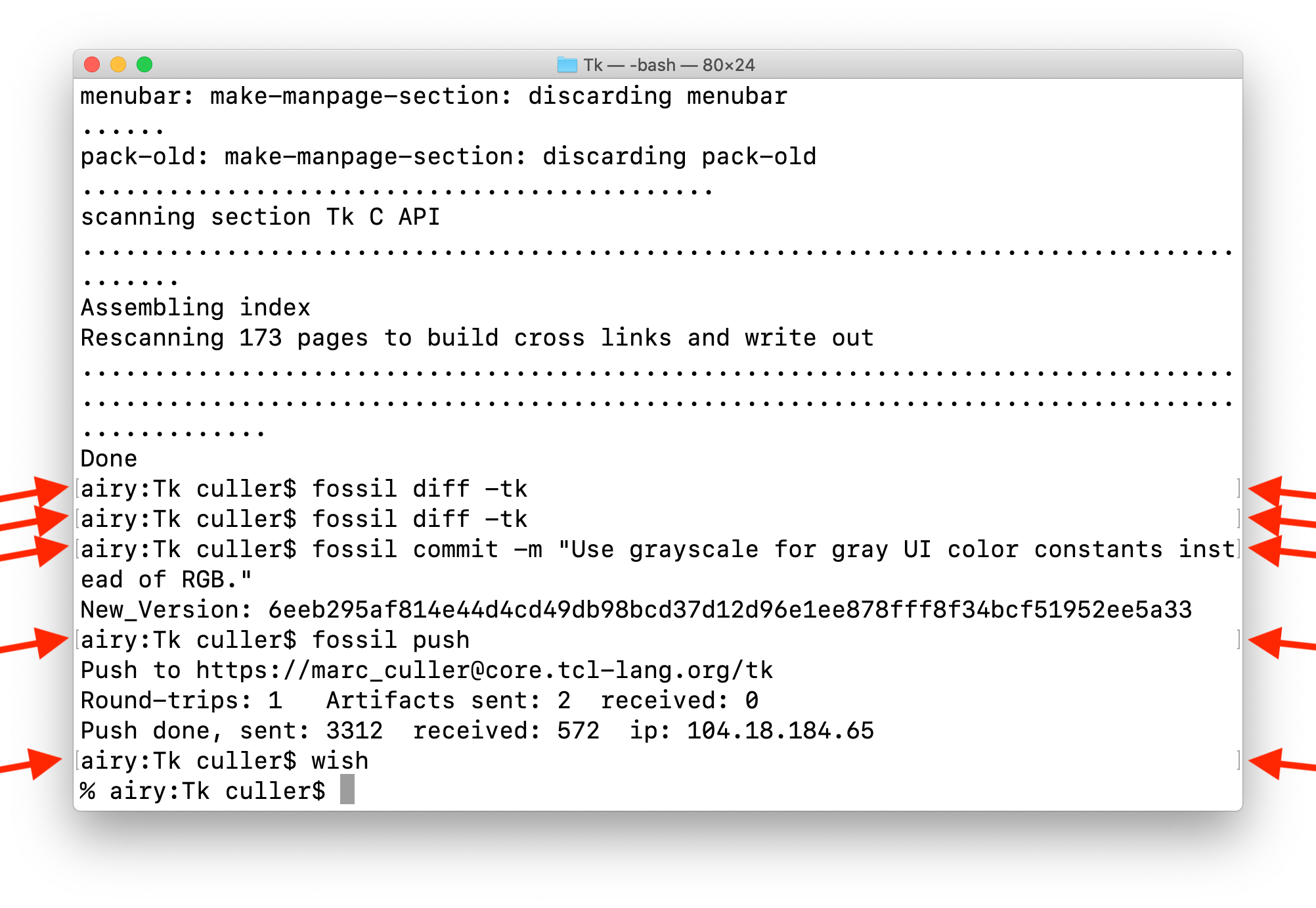
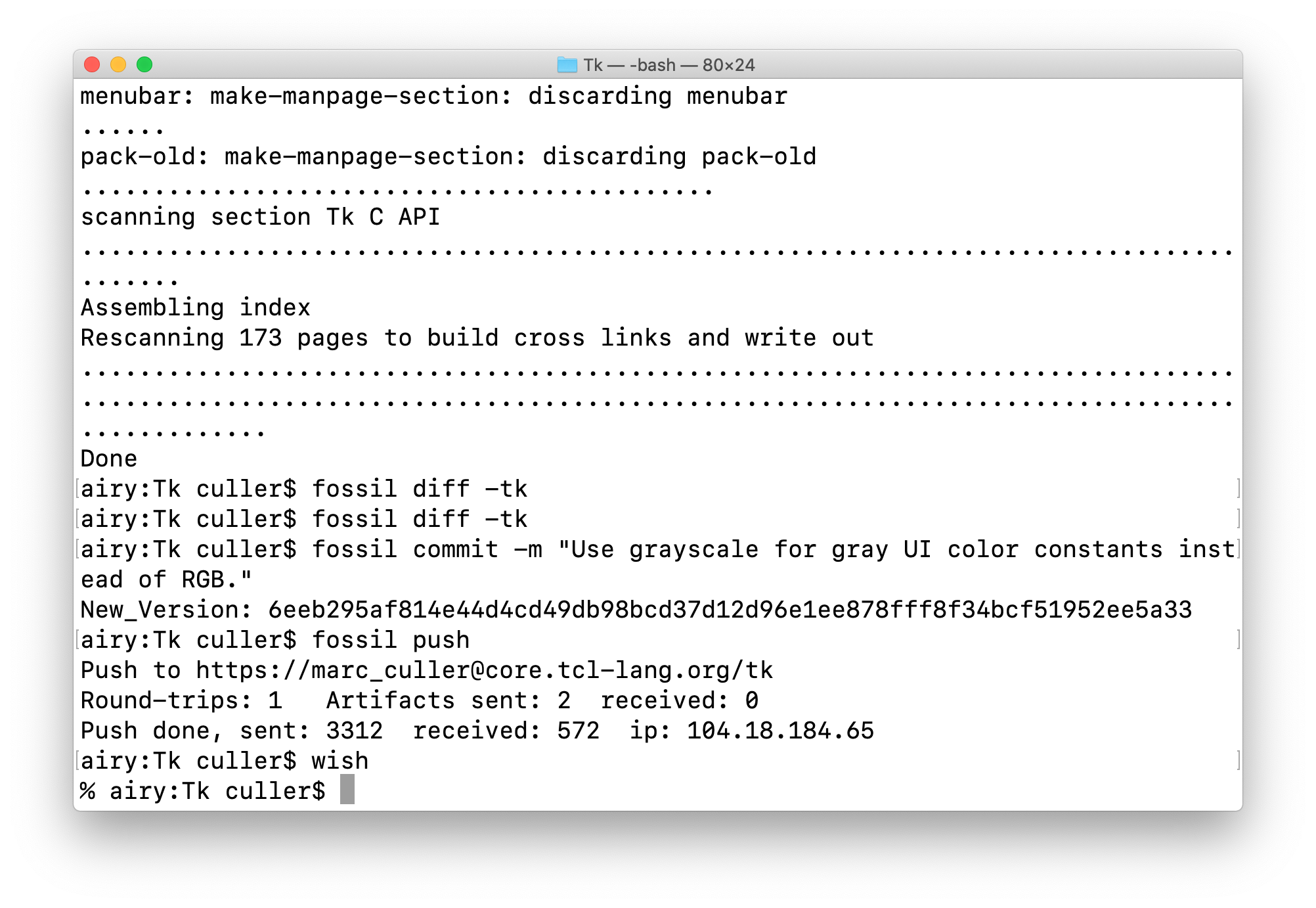
I will upload a screenshot showing the thin vertical black lines that appear at along the right side of the Terminal window.Do you mean the gray square brackets on both the left and right edges? If so, those are the automatic prompt line marks. marc_culler (claiming to be Marc Culler) added on 2020-04-13 20:42:26: It occurs to me that this might be due to rounding. All of Apple's screen dimensions are floating point numbers and all of Tk's screen dimensions are integers. I am wondering if Tk might be rounding the dimensions of some rectangles to integers when it should be leaving them as floats. marc_culler (claiming to be Marc Culler) added on 2020-04-13 20:26:34: Actually, when you zoom in they look like right square brackets. marc_culler (claiming to be Marc Culler) added on 2020-04-13 20:21:25: I will upload a screenshot showing the thin vertical black lines that appear at along the right side of the Terminal window. This was made on a laptop with a Retina display, but I have seen the same thing on a Mac mini with a Dell monitor. chrstphrchvz added on 2020-04-13 19:57:38:
I see very similar artifacts in Apple's Terminal app. I use a white background and a black foreground in the Terminal, and I see thin vertical black lines along the right hand edge of the text. I never managed to observe this in Terminal.app or any other app, at least on a non-Retina display. My best guess is that in Workaround: set the text prior to Yes, there are bigger warts in Tk to try removing. marc_culler (claiming to be Marc Culler) added on 2019-08-18 02:29:47: I see very similar artifacts in Apple's Terminal app. I use a white background and a black foreground in the Terminal, and I see thin vertical black lines along the right hand edge of the text. So I think this is an Apple bug, not a Tk bug. I don't see that we have any control over the text anti-aliasing, beyond choosing one of the handful of anti-aliasing options that Apple makes available. | |||


Attachments:
- promptmarks.png [download] added by chrstphrchvz on 2020-04-13 20:37:21. [details]
- TerminalArtifacts.png [download] added by marc_culler on 2020-04-13 20:23:37. [details]
- 89354dae31.diff [download] added by chrstphrchvz on 2020-04-13 19:57:49. [details]