|
2022-07-17
| ||
| 10:59 | • Ticket [91ca777b] ttk::notebook loose control over content of tabs on MacOS status still Open with 3 other changes artifact: 3406db77 user: fvogel | |
|
2022-07-16
| ||
| 20:11 | • Ticket [6b51f22b] macos: mac_styles testing status still Closed with 5 other changes artifact: f9611bfa user: fvogel | |
| 13:31 | • Ticket [91ca777b] ttk::notebook loose control over content of tabs on MacOS status still Open with 4 other changes artifact: f0e7e4ef user: fvogel | |
|
2021-03-04
| ||
| 01:23 | • Ticket [ac7f7719] tk panedwindow: cursor changing code does not work well status still Pending with 3 other changes artifact: b61fd371 user: chrstphrchvz | |
|
2020-09-27
| ||
| 21:03 | • Closed ticket [6b51f22b]: macos: mac_styles testing plus 9 other changes artifact: d89fc1d3 user: marc_culler | |
| 18:43 | Now that the mysteries are understood, rework the fix for [6b51f22bff]:widgets are sometimes not drawn in a notebook page. check-in: a13edbac user: marc_culler tags: mac_styles | |
|
2020-09-25
| ||
| 15:14 | • Ticket [6b51f22b] macos: mac_styles testing status still Open with 3 other changes artifact: c1656885 user: bll | |
| 15:01 | • Ticket [6b51f22b]: 4 changes artifact: 46e2783a user: marc_culler | |
| 14:45 | • Ticket [6b51f22b]: 3 changes artifact: 93eb4b95 user: nab | |
|
2020-09-24
| ||
| 19:00 | • Ticket [6b51f22b]: 3 changes artifact: 2454bd7b user: nab | |
| 17:00 | • Ticket [6b51f22b]: 4 changes artifact: 615096b4 user: marc_culler | |
| 17:00 | • Ticket [6b51f22b]: 4 changes artifact: 1331c844 user: marc_culler | |
| 16:57 | • Ticket [6b51f22b]: 3 changes artifact: b4bfee0f user: bll | |
| 15:45 | Fix notebook bug from [6b51f22bff]:widgets are sometimes not drawn when a page is selected. check-in: 1b5d1401 user: marc_culler tags: mac_styles | |
|
2020-09-22
| ||
| 21:20 | • Ticket [6b51f22b] macos: mac_styles testing status still Open with 3 other changes artifact: 82b3fcb2 user: bll | |
| 20:51 | • Ticket [6b51f22b]: 4 changes artifact: c345b07c user: marc_culler | |
| 20:46 | • Ticket [6b51f22b]: 4 changes artifact: 11b00b96 user: marc_culler | |
| 19:38 | • Ticket [6b51f22b]: 3 changes artifact: 9f18b8f0 user: nab | |
| 13:25 | • Ticket [6b51f22b]: 3 changes artifact: 83165f6e user: bll | |
| 02:59 | • Ticket [6b51f22b]: 3 changes artifact: f13d48b6 user: nab | |
|
2020-09-21
| ||
| 21:26 | • Ticket [6b51f22b]: 3 changes artifact: 6c11c873 user: bll | |
| 21:12 | • Ticket [6b51f22b]: 4 changes artifact: 2ffca25b user: marc_culler | |
| 20:51 | • Ticket [6b51f22b]: 4 changes artifact: 7239f17e user: marc_culler | |
| 20:48 | • Add attachment NoProgress.png to ticket [6b51f22b] artifact: e85a6d01 user: marc_culler | |
| 20:41 | • Ticket [6b51f22b] macos: mac_styles testing status still Open with 4 other changes artifact: a4b170cc user: marc_culler | |
| 17:57 | • Ticket [6b51f22b]: 3 changes artifact: e77b3860 user: bll | |
| 17:45 | • Ticket [6b51f22b]: 3 changes artifact: 437ec9d6 user: bll | |
| 17:27 | • Ticket [6b51f22b]: 3 changes artifact: 0fa08b20 user: nab | |
| 17:08 | • Ticket [6b51f22b]: 4 changes artifact: 7fd7fa06 user: marc_culler | |
| 16:56 | • Ticket [6b51f22b]: 3 changes artifact: 2f339c2e user: bll | |
| 15:46 | • Ticket [6b51f22b]: 4 changes artifact: 04a77caf user: marc_culler | |
| 10:49 | • Ticket [6b51f22b]: 3 changes artifact: 8e50b468 user: nab | |
| 10:41 | • Ticket [6b51f22b]: 3 changes artifact: 5f56b46c user: bll | |
| 10:13 | • Ticket [6b51f22b]: 3 changes artifact: b966030e user: bll | |
| 09:17 | • Ticket [6b51f22b]: 3 changes artifact: 0ca6ff96 user: nab | |
| 08:51 | • Ticket [6b51f22b]: 3 changes artifact: 3560764a user: bll | |
| 08:10 | • Ticket [6b51f22b]: 3 changes artifact: b633b7c4 user: nab | |
|
2020-09-20
| ||
| 20:58 | • Ticket [6b51f22b]: 3 changes artifact: 00656daf user: bll | |
| 20:51 | • Ticket [6b51f22b]: 4 changes artifact: 9945785d user: marc_culler | |
| 20:36 | • Ticket [6b51f22b]: 4 changes artifact: e62c2eaa user: marc_culler | |
| 20:34 | • Ticket [6b51f22b]: 4 changes artifact: 738df93d user: marc_culler | |
| 20:31 | • Ticket [6b51f22b]: 4 changes artifact: 811b5921 user: marc_culler | |
| 20:17 | • Ticket [6b51f22b]: 3 changes artifact: ca53a197 user: bll | |
| 20:09 | • Ticket [6b51f22b]: 4 changes artifact: a69d6c1e user: marc_culler | |
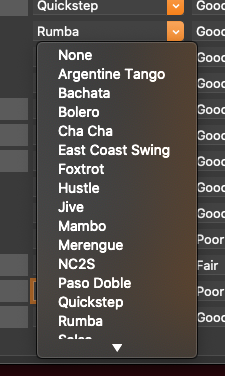
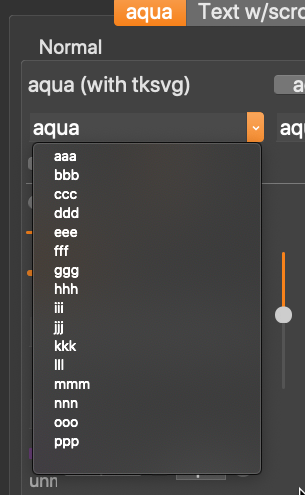
| 19:19 | • Add attachment macos-mac-styles-combobox-bdj.png to ticket [6b51f22b] artifact: dfc46b13 user: bll | |
| 19:09 | • Add attachment macos-mac-styles-combobox.png to ticket [6b51f22b] artifact: ffc8fac3 user: bll | |
| 19:09 | • Ticket [6b51f22b] macos: mac_styles testing status still Open with 3 other changes artifact: 4277ec0b user: bll | |
| 19:04 | • Add attachment demottk.tcl to ticket [6b51f22b] artifact: 9d225e33 user: bll | |
| 18:59 | • Add attachment demottk.tcl to ticket [6b51f22b] artifact: ebcd3ba1 user: bll | |
| 18:58 | • Ticket [6b51f22b] macos: mac_styles testing status still Open with 3 other changes artifact: a0116ff9 user: bll | |
| 16:36 | • Ticket [6b51f22b]: 4 changes artifact: 9053049b user: marc_culler | |
|
2020-09-15
| ||
| 23:41 | • Ticket [6b51f22b]: 3 changes artifact: 0e83d8dd user: bll | |
| 08:10 | • Ticket [6b51f22b]: 3 changes artifact: e5d3b5a8 user: chrstphrchvz | |
| 00:36 | • Ticket [6b51f22b]: 3 changes artifact: cd1ec589 user: bll | |
|
2020-09-14
| ||
| 23:44 | • Ticket [6b51f22b]: 4 changes artifact: 7da577d3 user: marc_culler | |
| 22:43 | • Ticket [6b51f22b]: 3 changes artifact: 41ad6336 user: bll | |
| 22:39 | • Ticket [6b51f22b]: 4 changes artifact: 6657e9e3 user: marc_culler | |
| 22:32 | • Ticket [6b51f22b]: 4 changes artifact: fba7b30a user: marc_culler | |
| 22:30 | • Ticket [6b51f22b]: 3 changes artifact: 6606dee2 user: bll | |
| 22:25 | • Ticket [6b51f22b]: 3 changes artifact: 09e88ce9 user: bll | |
| 22:21 | • Ticket [6b51f22b]: 4 changes artifact: ec8cb71e user: marc_culler | |
| 22:13 | • Ticket [6b51f22b]: 3 changes artifact: 76ca7b4e user: bll | |
| 21:37 | • Ticket [6b51f22b]: 3 changes artifact: 588ed268 user: bll | |
| 21:23 | • Ticket [6b51f22b]: 3 changes artifact: 00488c27 user: bll | |
| 21:17 | • Ticket [6b51f22b]: 3 changes artifact: 0fb77e6a user: bll | |
| 21:12 | • Ticket [6b51f22b]: 4 changes artifact: 84f88123 user: marc_culler | |
| 20:11 | • Ticket [6b51f22b]: 3 changes artifact: d5c57d07 user: bll | |
| 19:50 | • Ticket [6b51f22b]: 4 changes artifact: 6f4f9f34 user: marc_culler | |
| 18:07 | • Ticket [6b51f22b]: 3 changes artifact: 862cae32 user: bll | |
| 16:38 | • Ticket [6b51f22b]: 4 changes artifact: 71d89193 user: marc_culler | |
| 15:44 | • Ticket [6b51f22b]: 4 changes artifact: 4a8d1edb user: marc_culler | |
|
2020-09-13
| ||
| 20:01 | • Ticket [6b51f22b]: 3 changes artifact: e18a0f26 user: fvogel | |
| 19:21 | • Ticket [6b51f22b]: 3 changes artifact: 242b507c user: bll | |
| 19:07 | • Ticket [6b51f22b]: 3 changes artifact: 9d0537df user: nab | |
| 17:13 | • Ticket [6b51f22b]: 3 changes artifact: 34c0edd8 user: bll | |
| 17:11 | • Ticket [6b51f22b]: 3 changes artifact: 112ea9ad user: bll | |
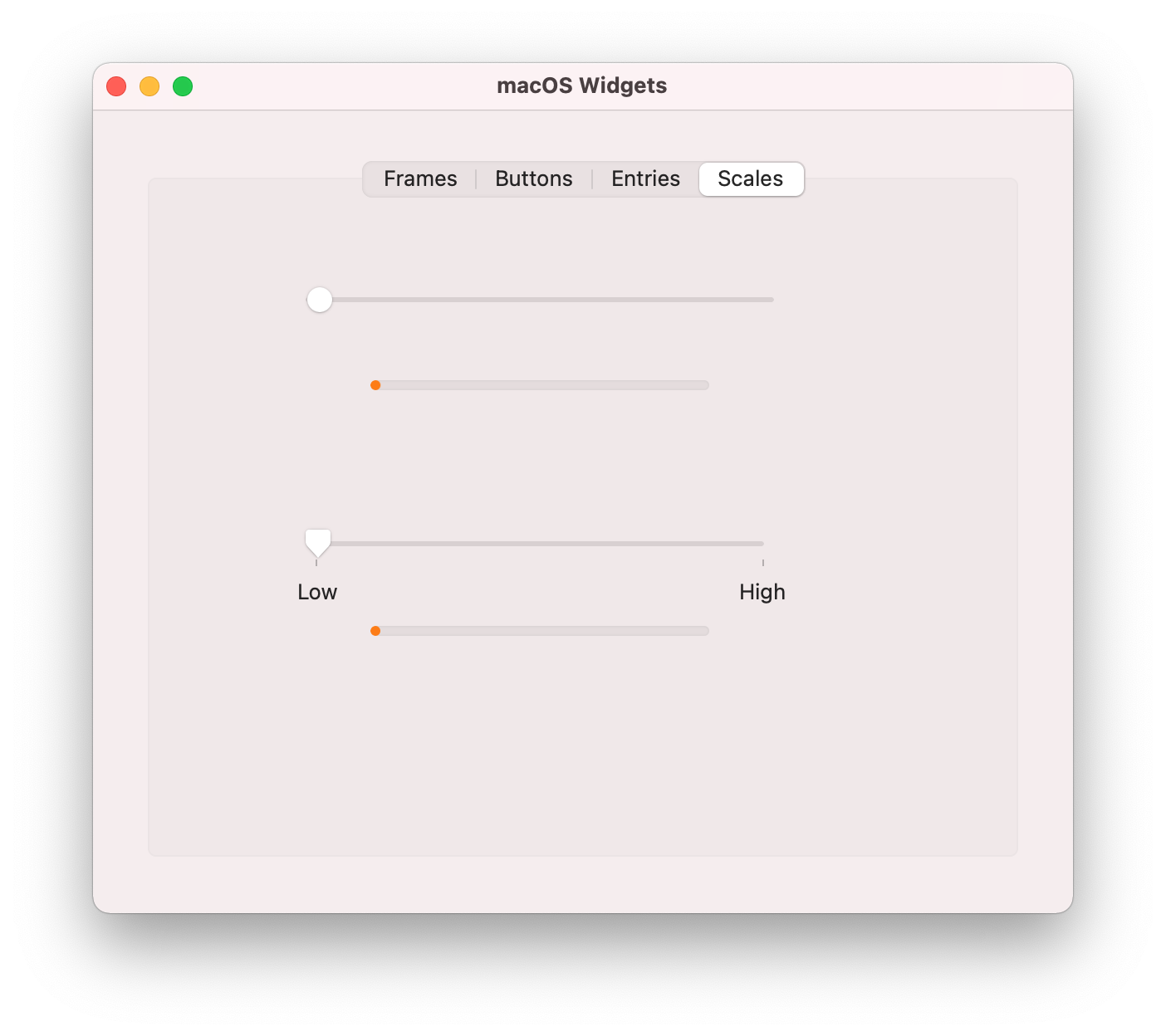
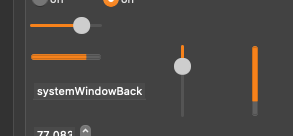
| 17:05 | • Add attachment macos-mac-styles-scale-pbar.png to ticket [6b51f22b] artifact: 44fcfad5 user: bll | |
| 16:24 | • Ticket [6b51f22b] macos: mac_styles testing status still Open with 3 other changes artifact: 1c1c098d user: bll | |
| 16:17 | • Add attachment macos-mac-styles-panedwindow.png to ticket [6b51f22b] artifact: 0dabe40c user: bll | |
| 16:16 | • Ticket [6b51f22b] macos: mac_styles testing status still Open with 3 other changes artifact: 04c60976 user: bll | |
| 16:14 | • Add attachment macos-mac-styles-panedwindow.png to ticket [6b51f22b] artifact: 72b373c1 user: bll | |
| 15:11 | • Add attachment demottk.tcl to ticket [6b51f22b] artifact: 2328c15c user: bll | |
| 15:09 | • Add attachment macos-mac-styles-notebook.png to ticket [6b51f22b] artifact: 6cd73751 user: bll | |
| 15:08 | • Ticket [6b51f22b] macos: mac_styles testing status still Open with 3 other changes artifact: 5b237e81 user: bll | |
| 15:01 | • Add attachment macos-mac-styles-labelframe.png to ticket [6b51f22b] artifact: 514f6962 user: bll | |
| 15:00 | • Add attachment macos-mac-styles-pbar.png to ticket [6b51f22b] artifact: 4255131b user: bll | |
| 15:00 | • New ticket [6b51f22b] macos: mac_styles testing. artifact: 746cc781 user: bll | |
| Ticket UUID: | 6b51f22bff0548df731d7b7c5541ea87ef8515dd | |||
| Title: | macos: mac_styles testing | |||
| Type: | Bug | Version: | mac_styles | |
| Submitter: | bll | Created on: | 2020-09-13 15:00:10 | |
| Subsystem: | 88. Themed Tk | Assigned To: | marc_culler | |
| Priority: | 5 Medium | Severity: | Important | |
| Status: | Closed | Last Modified: | 2022-07-16 20:11:18 | |
| Resolution: | Fixed | Closed By: | fvogel | |
| Closed on: | 2022-07-16 20:11:18 | |||
| Description: |
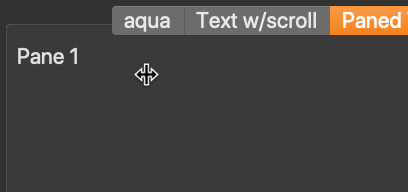
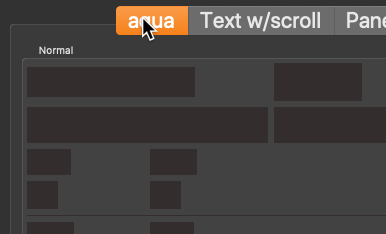
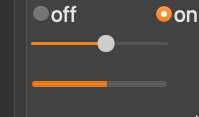
Testing mac_styles using the demottk.tcl program. See attached images. I used the "-fontscale 2.0" option so I could get a bigger image. This uncovered (b). a) Artifacts in the horizontal progress bar. There are some thin horizontal lines displayed in the horizontal progressbar. b) Labelframe text is not using TkDefaultFont ? The sizing of labelframe text is incorrect. Does it use a different font now? | |||
| User Comments: |
fvogel added on 2022-07-16 20:11:18:
Note that the very last sentence of previous comment should read: "Since this better fix has NOW been merged [...]" instead of "Since this better fix has not been merged [...]" marc_culler (claiming to be Marc Culler) added on 2020-09-27 21:03:44: I couldn't consider this finished while there were unresolved questions about how the MapNotify events work. I finally resolved them, and reworked this fix accordingly. This was another saga. For some mysterious reason Tk exports XMapWindow and XUnmapWindow as stubs but says in the documentation not to use them since they do not update the Tk structures which describe the window. Instead, Tk provides wrappers Tk_MapWindow, Tk_UnmapWindow, Tk_WmMapWindow and Tk_WmUnmapWindow. The first two update the TK_MAPPED flag, call XMapWindow or XUnmapWindow, then create and immediately handle a MapNotify or UnmapNotify event. The second two are platform specific and only used for toplevels, but on macOS do very similar things. Nowever, for some inexplicable reason, the macOS implementation of the Tk_Wm wrappers did not create and generate the notification events. Instead the event was generated in XMapWindow and XUnmapWindow, but only for toplevels since for other windows the generic Tk_MapWindow or Tk_UnMapWindow was already doing this. This explains the cryptic "only for toplevels" comment. There was another difference, however, which is that in XMapWindow and XUnMapWindow, after the event was handled idle events were processed. This was added to deal with toplevels not being fully configured when first mapped. The first attempt at fixing the notebook problem was adding a second notification event, which was also followed by processing idle tasks. This was an attempt to deal with the problem that the window mapping information was not being propagated for the notebook pages. Not only was this redundant, and overkill, it also introduced other issues which were evidenced by the new test failures. The issue here was that Tk_MapWindow and Tk_UnmapWindow are called by some display procedures. Processing the idle tasks within a display procedure could sometimes happen when the same display procedure had been posted as an idle task. Display procedures which are not re-entrant, such as DisplayPanedWindow and DisplayText would then misbehave. The final solution was to use a different way of handling the MapNotify and UnmapNotify event on macOS. Rather than call Tk_HandleEvent and then process idle tasks, the event is added to the queue and the queue is then processed with a filter that passes only MapNotify and UnmapNotify events. This obviates the need to process idle tasks and behaves better in the case where the notifications are sent by a display procedure which is being run from inside the drawRect method. This did not eliminate the issue with the "test" geometry manager, however. It seems to have much deeper re-entrancy issues. So I had to test for that case and simply call Tk_HandleEvent with no idle task processing when dealing with the "text" geometry manager. Since this better fix has not been merged into core-8-6-branch and trunk, I will close the ticket now. bll added on 2020-09-25 15:14:03: This ticket is pretty much done. The only thing outstanding is that extra line at the bottom of the combobox pop-up. And that's pretty minor. And it's gotten so long, probably better to open new tickets anyways. marc_culler (claiming to be Marc Culler) added on 2020-09-25 15:01:44: Nicolas, please do not keep this ticket alive by adding new stuff that has nothing to do with the subject of the ticket. The tickets are meant to be useful for finding things that happened in the past, not one long stream of unrelated problems. Since mac_styles and core-8-6-branch have identical TkpInit functions I really do not see how this could possibly be related to the mac_styles branch. Please open a new ticket. And please, please try to see which commit created the problem. I cannot do that since I cannot reproduce the issue. nab added on 2020-09-25 14:45:15: now even on Catalina, I do see a toplevel that appears/disappears when I launch my app. it does not happen when I launch it from the terminal and do appears when I double-click on the icon. ++ nab added on 2020-09-24 19:00:08: Hi Marc, latest commit to mac_styles didn't break anything on my side. ++ marc_culler (claiming to be Marc Culler) added on 2020-09-24 17:00:55: I am not seeing any delay at all on Big Sur. marc_culler (claiming to be Marc Culler) added on 2020-09-24 17:00:14: I have identified the cause of the notebook issue and pushed a fix. But the
search for a fix was, as is so often the case with Tk, a saga. And it raises
some design issues. So I am going to tell the saga and highlight the design
issues.
When I finally got all my instrumentation (as François calls it) set up, I was
able to see clearly why the widgets were not being drawn. They were marked as
not being mapped (winPtr->flags & TK_MAPPED = 0) even though the frame which is
being used as the notebook page got mapped when the page was selected. When
[NSView drawRect] generates expose events for all widgets thet touch its
clipping rectangle, it skips those which are not mapped.
Why weren't they being mapped? The answer was contained in a typically terse
comment in tkMacOSXSubWindows.c:
/*
* We only need to send the MapNotify event for toplevel windows.
*/
By typically terse I mean that there is no explanation for this. Moreover,
when you look at the ttkManager.c you see that a Ttk geometry manager marks
its content widgets as mapped when it gets a MapNotify event. So the comment
is wrong. MapNotify needs to be sent to notebook pages when the page is
selected.
Step one, then, was to simply try sending MapNotify to all windows, not just
toplevels. Bingo! That fixed the notebook problem. But no, we are not done,
of course.
First there is the question of why the widgets were being drawn 9 out of 10
times (on Big Sur). If the MapNotify was needed, and not sent, why do they
ever get drawn?
Now we get into the Tk cesspool. Every time I run into one of these mysterious
bugs I find that, at the bottom, there is a race condition at play. Whether
a MapNotify gets sent or not is decided by the outcome of a race and whether
the code works depends on whether the favored horse wins. I believe that is
happening here, although I cannot pinpoint where the race occurs.
I had worked around the race by always sending a MapNotify, no matter which
horse wins. But every time that a bug is fixed by changing the outcome of a
race, there is always some other code which will break because it is betting
on the same race, but in conditions which favor the other horse. So it cannot
be that simple. What got broken by this fix?
The answer appeared when I ran the test suite. There was a big fat segfault
in textDisp-5.2. Now, that is an interesting test! It is preceded by a
comment which nicely explains what we had crashed into:
# Although the following test produces a useful result, its main
# effect is to produce a core dump if Tk doesn't handle display
# relayout that occurs during redisplay.
Wow. Obviously no one knows what is the reason for this crash. But at least
we have a way of producing it. Maybe it will go away when (if) the revised
text widget appears. But for now the workaround is clear. Just don't send
the MapNotify event to windows whose geometry is managed by a "text" manager.
That fixed the crash.
So are we done? Of course not. And now we get to the design issue. There
were errors occuring in panedwindow.test. Notably panedwindow-23.29
{ConfigurePanes, -hide works}. In spite of the description, this test is
simultaneously testing several assumptions about how the panedwindow
geometry manager works. Taken together, these assumptions are a bit crazy,
at least to me. The test creates a window which is 130 pixels wide. Then
it creaes a paned window with 4 panes, each 40 pixels wide and packs it
into the window. After that it hides pane 2. Here is what the test
checks:
(1) pane 4, which does not fit in the window, should not be mapped.
(2) when pane 2 is hidden, pane 4 should get mapped.
(3) the sizes of the panes should be appropriate.
But the mechanism of this test is based on an independent aspect of the
paned window design (which also gets tested elsewhere):
(4) When a panedwindow receives a MapNotify event it should map all of its
panes which are not being explicitly hidden.
The success of panedwindow-23.9 therefore depends on a hidden assumption
which, in my opinion, is wrong. The assumption is: A panedwindow should
NOT receive a MapNotify the first time it is mapped. If it did receive one
(as was the case after my change) then (4) would cause pane 4 to be mapped,
which would cause the window to expand to the size needed to hold all 4
panes leading to a failure of (1). That was exactly what I saw.
I think this is just wrong. A panedwindow *should* receive a MapNotify when
it is first mapped, and the test should be adjusted. However, I did not
correct this because that would mean digging into the implementation of
XMapWindow on the other platforms, and who knows what other complications
would arise from doing that. So, instead, I hacked the implementation of
the MapNotify handler, by making it only map those panes which are both
* not hidden; and
* do not have size 1x1
Having size 1x1 means that that the pane was intentionally not mapped when
the panedwindow was originally mapped, due to the fact that it did not fit
in the window. I think that the window should have been expanded at that
point. But obviously the designer of the panedwindow geometry manager
disagreed with me.
So are we done yet? Of course not. Another test failure popped up too.
That was the elegantly named notebook-1343984-1. That test is supposed
to be checking that the notebook does not autoselect a tab when it is
being destroyed. It uses a binding for <Map> to do that. With the extra
MapNotify event, the result contains two copies of the text that gets
written by the <Map> handler, since there are now two MapNotify events
where there had previously been only one. But it is getting late. I
am getting tired. So my workaround for this was to exclude the notebook
manager in the same way as the text manager: XMapWindow does not send a
MapNotify to a window whose geometry manager is of type "text" or
"notebook". There seems to be no need for a window managed by a "notebook"
to receive that event.
Those are the changes in commit 1b5d1401b6. With those I am seeing no
test failures (and no crashes) and the notebook problem is fixed.
I would like to cherrypick this change and add it to core-8-6-branch as
it surely is not exclusive to mac_styles. So I would very much appreciate
a review. This is clearly the sort of change which is ripe for cascading
unexpected consequences.
bll added on 2020-09-24 16:57:30: notebook: Redraw now works when switching tabs. There's a noticable delay if the mouse is not moved. If the user continues moving their mouse, there's no delay. Should be fine. bll added on 2020-09-22 21:20:17: @marc I tried to create a patch for 8.6.10, but it's too difficult. I had to create a mercurial repository so that I could get a diff, fossil sucks. But there is too much of core-8-6-branch merged into mac_styles, and I can't parse it all out (19 hunks failed to patch). Too much work. I'll have to wait for 8.6.11. marc_culler (claiming to be Marc Culler) added on 2020-09-22 20:51:20: I won't have access to any 10.14 system for a couple of (hopefully quiet) weeks. However, recent changes in core-8-6-branch which have been merged into mac_styles, involved exactly this problem. The Python IDLE app was showing a small root window even though the code had withdrawn the root. This was fixed. So it might have fixed the issue you are seeing. You never know. marc_culler (claiming to be Marc Culler) added on 2020-09-22 20:46:23: @bll: the differences between mac_styles and core-8-6-branch are concentrated in ttkMacOSXTheme.c and tkMacOSXImage.c. You know what the ttk changes are about. The image changes are that a new image type (nsimage) is created. Ultimately, at least for 8.7, I would like to see ::tk::mac::iconBitmap be removed, since it is superfluous once nsimage exists and also because it is something of a misfit -- it is an image pretending to be a bitmap. I regularly merge core-8-6-branch into mac_styles, so mac_styles should also include all of the recent improvements to core-8-6-branch which are not related to ttk or nsimages. nab added on 2020-09-22 19:38:15: Hi Marc, one reported me that with latest mac_styles branch on macOS 10.14.6 there's a little window that appear when launching my app then the whole window of my app is appearing. He confirm that was not the case not so long time ago. please tell me how I can help with that? at least I can send him some tests versions. also, from what users reports, it appears that macOS prior to 10.14 are glitched... not your fault... but I think I'll limit my app to macOS 10.14 ++ bll added on 2020-09-22 13:25:30: Does the mac_styles branch have any particular dependencies on core-8-6-branch? I am thinking I should create a patch against 8.6.10 and ship a mac_styles build with my application. nab added on 2020-09-22 02:59:32: progressbar: ok, thank you for your work on this, it works as you've described. best regards, nicolas bll added on 2020-09-21 21:26:26: progressbar: Yes, that looks good. It's important for *something* to be there. And the circle solves the problem. You could have cutesy stuff like the circle growing in radius, but I don't think that's necessary. a) progressbar: resolved b) labelframe: resolved: a change users may have to handle if they use alternate font sizes. c) notebook: unknown why this happens. needs investigation. d) paned window: resolved users must handle how this works on mac os. e) scales: resolved f) vertical progressbar: resolved g) combobox: uses native mac widget g2) combobox: extra blank line needs investigation. marc_culler (claiming to be Marc Culler) added on 2020-09-21 21:12:49: OK. Since it was easy, I did it. I pushed a new version of the progress bar. The way it works now is this: * If there is 0% progress then there is no color. * If there is a positive amount of progress, but not enough to fill a circle of color, the circle is filled anyway. * Otherwise it works as before This means that as soon as there is progress you will see some color. It will not change for a little while as the progress increases. After there is enough progress to fill the circle, the color will grow. The main difference is that rather than seeing nothing for a short time, you see the same circle of color for a short time. But at least that indicates that something is happening. marc_culler (claiming to be Marc Culler) added on 2020-09-21 20:51:45: I guess I am the person who can provide the screenshot (attached). It looks like Apple shows a circle of color when there is 0% progress and leaves the circle in place until there is enough progress to make for a rounded rectangle of color which is larger than a circle. Is that an improvement? It is easy to code. marc_culler (claiming to be Marc Culler) added on 2020-09-21 20:41:07: You cannot draw a rounded rectangle unless the length and width are both at least twice the radius. If you try to do that you get a crash. Sometimes even when the size is large enough, the rounded rectangle path is still NULL and that causes a crash too. (As you know Nicolas!). That appears to be an Apple bug. So when we are filling a rounded rectangle and the rounded rectangular path is NULL or the bounding rectangle is too small we draw nothing. The latest mac_styles draws a progress bar in the Big Sur style. That means that the colored part is a rounded rectangle. So you will not see any color show up on the progress bar until the amount of progress is big enough for a circle to be drawn (~10 pixels). In the older mac_styles the colored part had two rounded corners at the end of the bar and two square corners on the inside. This was done by filling the entire bar with color while clipping to a rectangle. That means that you could see some color with less progress. It also meant much more complicated graphics for something that looked worse. Maybe someone can provide a screenshot of a Big Sur progress bar where the amount of progress is so small that all of the color is contained in the rounded end of the bar. I will consider using clipping when the progress is too small to fill a circle, so some color would appear in a not very nice looking chopped off circle shape. But is it really that important? I don't want to do a lot of extra work and add a lot of complication to the code just because things changed a tiny bit from how they were before. If you convince me it is **important** then I am willing to do the work. But I need a reason why it is **important**. bll added on 2020-09-21 17:57:05: @nab I see the bug now. Try manually: package require Tk set ::x 0 ttk::progressbar .pb -variable ::x -length 200 -maximum 200 pack .pb set ::x 1 set ::x 2 set ::x 3 set ::x 4 set ::x 5 set ::x 6 set ::x 7 ; # this is when the progressbar shows any data for me. set ::x 6 ; # progressbar disappears again In 8.6.10, 'set ::x 2' shows up. I think in 8.6.10, 'set ::x 1' does not show up due to the rounding of the end of the progress bar, very small, very hard to see. And that's probably why the bug above. x <= 6 is still within the rounded portion of the progress bar. bll added on 2020-09-21 17:45:58: scales: Look nice. What a huge improvement over the original 8.6.10 scales. notebook: I don't know how to debug on the mac. printf statements don't work. nab added on 2020-09-21 17:27:58: @Brad not so long time ago in mac_styles there were no offset. marc_culler (claiming to be Marc Culler) added on 2020-09-21 17:08:33: More extensive testing on Big Sur indicates that when switching between the "Aqua" tab and the "Paned Window" tab in demottk the Aqua widgets fail to get drawn 1 time out of 10. Obviously there is a timing issue somewhere. At the moment I have no idea where. Looking at the ttk code, the notebook redraws itself many, many times including whenever the mouse leaves a tab. That is what triggers the redraw that always works. Somehow, for some unknown reason, the other redraws don't always work even though they do appear to be happening. One clue might be that the frame always gets drawn, but its content widgets sometimes do not. I think the notebook should only be asking the frame to redraw itself, and the frame should ask its content widgets to draw themselves. So maybe this problem is really a frame problem but somehow it only gets exposed when the frame is used as a notebook page. bll added on 2020-09-21 16:56:47: @nab > I agree, but what I'm asking is if it's an error in progressbar code if we need to use an offset. No, it's not an error. It's just that 1 pixel out of 200 is hard to see. Using a slightly longer bar with a starting offset provides the user experience that something has actually started happening. ( Should be -maximum $pb(reallen), and the 200 should be replaced with $pb(len) ) marc_culler (claiming to be Marc Culler) added on 2020-09-21 15:46:00: I have reworked the scale so the accent color goes between the knob and the end which has the smaller value. The "from" end is the left for horizontal scales and the top for vertical scales. But the "from" value can be larger or smaller than the "to" value, and the color will go to whichever end has the smaller value. Also, disabled scales now use a gray color instead of the accent color. This is the same color that is used when the window is in TTK_BACKGROUND (unfocused) state. nab added on 2020-09-21 10:49:58: I agree, but what I'm asking is if it's an error in progressbar code if we need to use an offset. anyway, thanks for your code :) ++ bll added on 2020-09-21 10:41:19: I think this will give the user experience you want:
package require Tk
variable pb
set pb(value) 0
set pb(offset) 3
set pb(len) 200
set pb(reallen) [expr {$pb(len)+$pb(offset)}]
proc doStartDeterminatePB { {idx 0} } {
global pb
set pb(value) [expr {$idx+$pb(offset)}]
if { $idx > 200 } { return }
after 50 [list ::doStartDeterminatePB [expr {$idx + 1}]]
}
ttk::button .b -text push
bind .b <ButtonPress-1> {doStartDeterminatePB; break;}
ttk::progressbar .p -orient horizontal -mode determinate \
-length $pb(reallen) -maximum $pb(len) -value 0 -variable pb(value)
grid .b -sticky nsew
grid .p -sticky nsew
bll added on 2020-09-21 10:13:43: Well, the first set is 0, you're not going to see anything
until one second later.
Try changing the initialization of 'idx' to {idx 10}.
nab added on 2020-09-21 09:17:59: Hi Brad,
ok for the update...
but still and I've checked on my end (otherwise I wouldn't write in this ticket) there's a delay between the push and the visual update of the progressbar.
put after 1000 [list ::doStartDeterminatePB [expr {$idx + 1}]] and you'll see it.
in fact it's like if the min value of the progressbar is offsetted.
++
bll added on 2020-09-21 08:51:54: Rewrite it. Do not use 'after 50'. That stops the event loop.
No update is needed.
I don't see any particular delay. Please check on your end.
package require Tk
variable pb
set pb 0
proc doStartDeterminatePB { {idx 0} } {
global pb
set pb $idx
if { $idx > 200 } { return }
after 50 [list ::doStartDeterminatePB [expr {$idx + 1}]]
}
ttk::button .b -text push
bind .b <ButtonPress-1> {doStartDeterminatePB; break;}
ttk::progressbar .p -orient horizontal -mode determinate \
-length 200 -maximum 200.0 -value 0 -variable pb
grid .b -sticky nsew
grid .p -sticky nsew
nab added on 2020-09-21 08:10:26: Hi,
about ttk::progressbar using the following script:
package require Tk
package require Ttk
variable pb
set pb 0
proc doStartDeterminatePB {} {
global pb
for {set x 1} {$x<=200} {incr x} {
set pb $x
update
after 50
}
}
ttk::button .b -text push
bind .b <ButtonPress-1> {doStartDeterminatePB; break;}
ttk::progressbar .p -orient horizontal -mode determinate -length 200 -maximum 200.0 -value 0 -variable pb
grid .b -sticky nsew
grid .p -sticky nsew
I've noticed that there's a little delay between the moment I clicked on the button and the moment that the progressbar is starting to be visually updated.
also, the progressbar is visually updated thanks to 'update'. an 'update idletasks' in doStartDeterminatePB() has no effect. Is it intentional?
++
Nicolas
bll added on 2020-09-20 20:58:46: combobox: > What native widget, other than the popup menu, did you have in mind? I didn't have anything in mind. Mac OS popup menu is better than what the browsers use, definitely. scale: Yes, the scale does draw the handle in a different color when disabled, but an alternate color instead of the accent color for disabled scale widgets would be good. Much easier to see that it is disabled. notebook: Still does not redraw for me unless I move the mouse. Every time. I am on Catalina. ProductVersion: 10.15.6 BuildVersion: 19G2021 marc_culler (claiming to be Marc Culler) added on 2020-09-20 20:51:01: What native widget, other than the popup menu, did you have in mind? The mac widget does not put everything on the screen. It decides, somehow, when to put the disclosure triangle at the bottom of the menu. Also, the standard combobox has lots of trouble when it is too close to the edge of the screen. There is an attempt made to deal with it, but it is pretty clumsy. I don't know what happens if there is a second display adjacent on the close side but I am betting that it is not pretty. marc_culler (claiming to be Marc Culler) added on 2020-09-20 20:36:45: Oh. The disabled scales cannot be dragged, but they are updated when the scales on the other side are changed and there is no visual indication that they are disabled. Should there be? marc_culler (claiming to be Marc Culler) added on 2020-09-20 20:34:01: One other thing. With the new demottk the scales are active on the disabled side. I didn't think I changed anything with scales. Is that a change in the script? marc_culler (claiming to be Marc Culler) added on 2020-09-20 20:31:23: @bll: with the new demottk I can no longer reproduce the problem where notebook pages are not drawn until the mouse leaves the tab. What happened? Did something change in the script? Did the problem accidentally get fixed when I fixed Nicolas's issue with mouse events? Can you still make the notebook page fail to be rendered? (I am using a Big Sur beta.) In the widget demo I still see a tab (not the page) not get redrawn until the mouse leaves. It does not happen every time; only the first time that the tab is selected. bll added on 2020-09-20 20:17:52: I really, really dislike the combobox style that tries to put everything on screen (the browsers use this) and I have to move the mouse down to the bottom of the screen to scroll it. From the small amount of testing I did, Mac OS appears to be a little better than that, but I still like scrolling listboxes better. But I have no problem with it being a native widget. marc_culler (claiming to be Marc Culler) added on 2020-09-20 20:09:07: The combobox in the mac_styles branch is a work in progress. Instead of using a Tk window for the menu, it uses a native popup menu. The reason for doing that was that Apple uses the same sort of popup menu for their combobox equivalent. There are advantages and disadvantages. The native popup menu handles, or is supposed to handle, all of the complications like what to do if the widget is too close to the edge of the screen, how to handle scrolling, etc. (Where the meaning of etc is not exactly known and may change from one OS release to the next.) Another advantage is that, being native, it looks native. But I am not really certain whether this is a good idea or not. Opinions are welcome. I think the empty line might be meant to indicate that you can fill that in for yourself by typing in the box and pressing enter. But it might be a bug. I will have to review the code. bll added on 2020-09-20 19:09:11: g) The combobox in macstyles appears to ignore the -height option and has no scrollbar. Is this intentional? g2) The combobox in macstyles appears to add an extra empty line at the bottom. Picture attached. bll added on 2020-09-20 18:58:57: The progress bars looks good. > I reversed the direction of the vertical progress bar, but I did not deal > with the coloring on the scale (yet). I am thinking that the part between > the smaller value (which could be min or max!) should be colored. I agree about the scales. That is the normal coloring method. I have this feeling that vertical scales are not used much at all. Otherwise we would see more complaints about the default vertical scale going down (for all systems), and the macos vertical scale not working at all. I am attaching a new demottk.tcl with a new option: -macstyles. Makes it easier to test the other new macstyles layouts: ImageButton, RoundedRectButton, DisclosureButton, GradientButton, HelpButton. Also sets the TkSmallCaptionFont size scaled to the -fontscale setting. And uses labelframes inside the paned window. marc_culler (claiming to be Marc Culler) added on 2020-09-20 16:36:53: @bll: I reworked the progress bar graphics code in the mac_styles branch. Please test the current version. The horizontal lines were my (obviously failed) attempt to mimic the highlighting that Apple uses. I got rid of most of that, simplifying the code and improving the appearance. The design changed slightly for Big Sur -- the colored part is now rounded at both ends instead of being rounded at the left and clipped off on the right. I am doing that for all OS versions since it is simpler, looks better, and is close enough that most people will not notice. I reversed the direction of the vertical progress bar, but I did not deal with the coloring on the scale (yet). I am thinking that the part between the smaller value (which could be min or max!) should be colored. bll added on 2020-09-15 23:41:01: For (a), the usual issues when using Tk are: - The incorrect image is used, e.g. using a vertical image where a horizontal image should be used. - incorrect border size (for images with rounded edges). If the MacOS native progress bar is in use, these are not applicable. chrstphrchvz added on 2020-09-15 08:10:49: Subscribing myself, since it appears others have come across the panedwindow cursor issue(s) I alluded to in [08eb057dea] but never reported. I will leave a longer explanation in [ac7f771957]. bll added on 2020-09-15 00:36:36: Ok, (d) is resolved. I think, given the more strict styling rules of the aqua theme, requiring an if-aqua-theme to use labelframes (I changed demottk to do this) or simply using tk frames with other colors is reasonable. And I opened https://core.tcl-lang.org/tk/info/ac7f771957ea4d98 to resolve the cursor change issues in tk panedwindow (and wrote new code). marc_culler (claiming to be Marc Culler) added on 2020-09-14 23:44:03: The idea was that you should feel free to use a tk::frame whenever you want a different background color. There is not supposed to be a rule against using tk::frame. So, it is easy if you don't mind doing the calculation of how deeply nested your tk::frame should be: tk::frame .x.y.z -background systemBackgroundColor3 But the notebook pages and the ttk::labelframe have a key difference from the tk::frame. They have rounded corners while a tk::frame always has angled corners. Rectangles with rounded corners are a bedrock component of the Apple "look". Another easy thing to do is to create a ttk::labelframe with no text. That gives you a box with rounded corners and a slightly contrasting background compared to its container. This works fine in demottk: ttk::labelframe $vars(mainW).p1 ttk::labelframe $vars(mainW).p2 and, actually, looks pretty nice. bll added on 2020-09-14 22:43:43: panedwindow: I expect that with a little work, tk panedwindow can be made to work like ttk::panedwindow and the cursor issues will be less of a problem. Most everything in the widgets demo is not themed. And the same color issue is what I brought up in (d). With the aqua theme, ttk::style configure TPanedwindow -background blue does not do anything. Is it easy to do the same thing as the notebook where panedwindow background stays the same, and any frame added via .panedwindow add .frame gets the background-color-1 ? With the hopes that the sash color will then be visible. marc_culler (claiming to be Marc Culler) added on 2020-09-14 22:39:50: When I say "two paned windows" I mean tk::panedwindow and ttk::panedwindow. marc_culler (claiming to be Marc Culler) added on 2020-09-14 22:32:46: In demottk.tcl it is hard to see what is going on in the panedwindow tab because the panes are the same color as the window. So I redefined the panes like this: tk::frame $vars(mainW).p1 -background white tk::frame $vars(mainW).p2 -background white Then I could see that the ttk::panedwindow worked great. None of the issues with the cursor were apparent. That is good news. I didn't realize there were two paned windows. bll added on 2020-09-14 22:30:43: notebook: I can't create the issue with 8.6.10, and I can create it every time with mac_styles, but I have no trouble believing that it is specific to the notebook. From what I have seen in my testing, switching notebook tabs does not always redraw parts of the screen. bll added on 2020-09-14 22:25:48: ttk::panedcursor.tcl can be improved:
proc ttk::panedwindow::SetCursor {w x y} {
variable State
+ if {$State(pressed)} {
+ return
+ }
ttk::saveCursor $w State(userConfCursor) \
[list [ttk::cursor hresize] [ttk::cursor vresize]]
i.e. If the user has started a drag operation, there is no need to try
and reset the cursor.
marc_culler (claiming to be Marc Culler) added on 2020-09-14 22:21:34: The notebook problem is not specific to mac_styles. I can reproduce it in core-8-6-branch as well. With either branch it does not happen every time that the Aqua tab is selected. With mac_styles it happens less often. But it happens. bll added on 2020-09-14 22:13:36: The widget demo uses tk panedwindow. How does demottk.tcl (ttk::panedwindow) work on your Mac? bll added on 2020-09-14 21:37:49: sash: One issue is that the resetcursor and setcursor routines are ignoring the pressed state. That's easy to fix. The other issue with resetcursor not getting called or being late is a problem. I have to create a log file and see what's going on. bll added on 2020-09-14 21:23:14: It appears that horizontal paned window demo doesn't work as well as the other paned window demos. But I can duplicate what you are seeing. bll added on 2020-09-14 21:17:45: I was just trying it with demottk.tcl. And am unable to duplicate your results. Let me try it with the widget demo. marc_culler (claiming to be Marc Culler) added on 2020-09-14 21:12:09: As I said, there is no sash. The "sash" is just part of the panedwindow which happens to lie between two panes. The panedwindow identify command can decide whether a point (x,y) is in the sash. There is a constantly running after task which calls identify with the current mouse (x,y) as reported by XQueryPointer to choose a cursor. But when an actual Button event arrives a completely different process is used to decide whether to deliver the Button event to the panedwindow, so it can start a sash drag, or to one of the panes, all of which are higher in the stacking order and hence capture Button events. This means that the algorithm for deciding whether to start a sash drag is completely different from the algorithm for deciding which cursor to show. And they often disagree, as you can easily verify by playing with the panedwindow demo. When you play with it you will easily see that you can press the mouse button while the doublearrow cursor is visible and have the Button event get delivered to a pane, not to the panedwindow, which means that there will be no sash drag starting from that button press even though the cursor was telling you that there would be. It is not that the panedwindow code is badly written, it is that the design is bad. If a sash were an actual child widget of the panedwindow, the same algorithm would be used in each case and this problem would go away. The sash widget would not need to be displayed, it would just need to receive Button events and Motion events (so it could set its cursor). bll added on 2020-09-14 20:11:44: sash: > If you add bindings to > print out what is happening you will see that when the sash does not drag > it is because the Button event is being sent to one of the two panes, not > to the paned window, even though the cursor clearly indicates that the sash > is active when the button is pressed. This just sounds like poorly written code. Once the mouse button is pressed *on* the sash, the motion events should be processed as commands to the sash. I can take a look at the code within the next few days. I have a working sash in my application (not a paned window, I didn't like how paned windows worked, and they're hard to style), though it is much wider. marc_culler (claiming to be Marc Culler) added on 2020-09-14 19:50:14: The font is TkSmallCaptionFont. See library/ttk/aqua.tcl. We currently have "A 3 pixel wide explicitly packed sash". It does not work. This user would definitely notice the difference between what we have and something that works. It is very easy to demonstrate this with the demo: * move the mouse over the sash until the double arrow cursor appears * click and drag the mouse A large fraction of the time nothing will happen. If you add bindings to print out what is happening you will see that when the sash does not drag it is because the Button event is being sent to one of the two panes, not to the paned window, even though the cursor clearly indicates that the sash is active when the button is pressed. bll added on 2020-09-14 18:07:47: labelframe: > The reason for that was to match the native GroupBox, which > uses a smaller font for the title than for the text in the box. Is there a Tk named font for it? The issue with this change is that there should be a TkDefaultLabelFrameFont (or somesuch) that is applicable to all themes. And for other platforms, this can be initialized to the same as TkDefaultFont. panedwindow: > A much better design would be to have the sash be an actual content widget > with the panedwindow as its container. I don't see a problem with this. A 3 pixel wide explicly packed sash would be fine. The user is not going to notice any difference between this and the current method. marc_culler (claiming to be Marc Culler) added on 2020-09-14 16:38:50: I have been looking at the paned windows. There are many layers of problems here. There really is no sash in a paned window. A sash is a bit of the panedwindow container which is not covered by a pane. On the mac it is only 3 pixels wide. But it is effectively only 1 pixel wide because the pixels on either side behave erratically due to rounding of mouse deltas. (The macOS mouse position is a float, with a resolution of 1/256 points, where a point is a pixel on a non-Retina display but a 2x2 block of pixels on a Retina display.) A user expects that when the sash cursor is showing, pressing the mouse button will start a sash drag. This is not the case because the decision of which cursor to use and the decision of whether to deliver the mouse button event to the panedwindow are made in different ways. In order to start a sash drag the Button event must be received by the panedwindow, not by a pane. The panes are always higher in the stacking order than the panedwindow. The cursor, on the other hand, is controlled by a recurring after task which calls the panedwindow's identify command with the current mouse position. These two things can and often do disagree. It is easily possible to press the mouse button while the sash cursor showing and have the Button event get sent to one of the panes on either side of the sash, causing the button press to be ignored instead of starting a drag. A much better design would be to have the sash be an actual content widget with the panedwindow as its container. It should be higher in the stacking order than either of the two panes that it is separating. It should have its own cursor. That would ensure that if you press the button while the sash cursor is displayed it will start a sash drag. A less important issue is that during a sash drag, the cursor can change back to the default cursor if the mouse moves out of the sash. But the drag only depends on one of x or y, and there can be delays, so it is very easy for the mouse to leave the sash during a drag. marc_culler (claiming to be Marc Culler) added on 2020-09-14 15:44:00: The ttk::labelframe font, meaning the font used above the GroupBox which serves as the frame for a ttk::labelframe in mac_styles, was changed to not be the Tk default font. The reason for that was to match the native GroupBox, which uses a smaller font for the title than for the text in the box. So I would say that the sizing is correct, in the sense that it matches what Apple uses. bll added on 2020-09-13 19:21:47: @nab: You shouldn't need update idletasks at random places in your code. (c) is new for mac_styles. It does not happen in 8.6.10. update idletasks should only be necessary for 1) Updating a status message while the program is still running. 2) Various obscure bugs in Tk. 3) maybe Notebooks. Of course, using "should" is a signal for maybe it works, maybe it doesn't. nab added on 2020-09-13 19:07:01: Hi Brad, about c), I often need to add 'update idletasks' in my code otherwise there are a lot of places where widgets are not redrawn (I don't think it's specific to mac_styles branch neither to noteBook) ++ bll added on 2020-09-13 17:13:29: e2) Mac OS Human Interface Guidelines: " Don’t reverse the direction of a slider. Users expect the minimum and maximum sides of sliders to be consistent in all apps. For example, the user should always move a vertical volume slider upward for greater volume and downward for lower volume. bll added on 2020-09-13 17:11:46: e) Vertical Scales If "-from" and "-to" are reversed (as in demottk.tcl), the scale coloring is still at the top. The reason this has become an issue is that Ttk never supported scales with only one portion of the scale colored. In 8.6.10, vertical scales don't seem to work at all. f) Vertical Progress Bar This is drawn reversed from 8.6.10. The progress is shown as growing down rather than up. bll added on 2020-09-13 16:24:01: d) Panedwindow (more): MacOS UI guidelines: "The panes of a split view can be arranged horizontally or vertically, and are separated by a divider that can typically be dragged to resize the panes. ... Perhaps when using the aqua theme, a horizontal or vertical line should be drawn between the panes. The line should be part of the sash. bll added on 2020-09-13 16:16:57: d) Paned Window. The paned window has no sash. In this case, the paned window background should not change and any frames that have been added to the paned window should be in a new color hierarchy. The paned window does not appear to have a sash in 8.6.10 either. bll added on 2020-09-13 15:08:47: c) I switch to a different notebook tab. I switch back to the first tab. The widgets are not redrawn. I move the mouse and the widgets get redrawn. This may be a general issue with notebooks. | |||
Attachments:
- NoProgress.png [download] added by marc_culler on 2020-09-21 20:48:04. [details]
- macos-mac-styles-combobox-bdj.png [download] added by bll on 2020-09-20 19:19:28. [details]
- macos-mac-styles-combobox.png [download] added by bll on 2020-09-20 19:09:55. [details]
- demottk.tcl [download] added by bll on 2020-09-20 19:04:59. [details]
- macos-mac-styles-scale-pbar.png [download] added by bll on 2020-09-13 17:05:34. [details]
- macos-mac-styles-panedwindow.png [download] added by bll on 2020-09-13 16:17:18. [details]
- macos-mac-styles-notebook.png [download] added by bll on 2020-09-13 15:09:06. [details]
- macos-mac-styles-labelframe.png [download] added by bll on 2020-09-13 15:01:10. [details]
- macos-mac-styles-pbar.png [download] added by bll on 2020-09-13 15:00:33. [details]